
BRAND BUILDERS AI LAB
The Brand Builders AI Lab gives you instant access to over 30 specialized AI tools built specifically for personal brand owners. Every tool is designed to remove one specific barrier so you can stop struggling and start publishing. Need a hook that stops the scroll? There's a tool for that.
Stuck on what to post today? A tool generates five ready-to-film ideas pulled from your real life. Want a full 30-day content calendar? Built in seconds. Need to rewrite your script so you sound confident and authentic? Done.
Have a client win you want to turn into a case study without sounding like you're bragging? There's a tool for that too. Every piece of friction—from blank pages to weak hooks to sounding like every other coach—is handled by a purpose-built AI tool inside the lab.
- WELCOME TO THE AI BRAND BUILDERS LAB---
THE IPHONE PERSONAL BRAND CONTENT BLUEPRINT
- Lesson 1: Introduction01:54
- Lesson 2: Your iPhone Is Enough01:50
- Lesson 3: Understanding Your iPhone's Capabilities03:11
- Lesson 4: Choosing Your Recording Space03:23
- Lesson 5: Composition — The Foundation Of Visual Credibility02:07
- Lesson 6: Creating Visual Depth01:39
- Lesson 7: Camera Height And Angle02:31
- Lesson 8: Shot Distance And What It Communicates02:30
- Lesson 9: Lighting Fundamentals — The 3-Light Setup02:31
- Lesson 10: Natural Light As Your Secret Weapon01:50
- Lesson 11: When You Need Artificial Light03:27
- ️ Lesson 12: Testing Your Lighting03:20
- Lesson 13: Audio — Your Voice Is Your Brand04:39
- Lesson 14: Managing Your Audio Environment01:46
- Lesson 15: Testing Your Audio Before You Record03:44
- Lesson 16: Choosing Your Camera App02:42
- Lesson 17: Stabilization Techniques02:24
- Lesson 18: Focus And Exposure02:44
AI CONTENT BLUEPRINT

- How to Turn One Idea Into Endless Scripts, Captions & Hooks—Without Staring at a Blank Page26:02
- How to Create Studio-Quality Images for Free—No Camera, No Photoshop, No Designer Needed25:43
- How to Turn Static Images Into Cinematic Videos—Free Tools That Make Your Visuals Move Like Magic29:16
- How to Build a Full AI-Powered Content System From Start to Publish—Using Only Free Tools06:59
- How to Create Studio-Quality Voiceovers & Audio Content Using Free AI Tools—Even Without a Mic32:46
- How to Create Viral Content Step-By-Step—Making Of Bathroom Stall Speedrun44:24
CONFIDENCE ON CAMERA
After: You hit record with confidence. You deliver your message clearly in one or two takes. You actually look forward to creating video content because you know you'll nail it.
- 1. From Awkward to Camera-Ready: How This System Has You Looking Pro in Your Next 5 Videos08:32
- 2. Never Fumble With Your Camera Again: Master Your Gear in One Weekend01:58
- 3. The One Lens Choice That Makes Your Course Footage Look 10x More Cinematic03:28
- 4. Flip Off Auto: The Simple Settings Combo That Fixes 90% of Bad Video02:29
- 5. Razor-Sharp Every Time: How to Nail Focus So Your Viewers Never Squint Again02:22
- 6. The F-Stop Hack for Instant ‘Blurry Background’ Netflix-Style Footage02:26
- 7. Stop Looking Washed Out: A 3-Step Exposure Fix for Instantly Better Video03:12
- 8. Freeze, Blur, or Cinematic Smooth: Shutter Speed Tricks That Make Every Shot Look Intentional01:25
- 9. From Shaky to Rock-Solid: How to Get Tripod-Level Footage Even When You’re Moving04:55
- 10. Never Lose a Take Again: The Storage Setup That Handles a Full Course Without Crashing04:43
- 11. Film All Day on One Setup: How to Stop Your Camera Dying Mid-Sentence05:01
- 12. Turn Any Spare Corner Into a Studio That Looks Custom-Built for Your Brand04:15
- 13. $50 Background, $5K Look: How to Design a Frame That Instantly Feels Pro---
- 14. Sound Like a Podcast Pro: The Easy Audio Setup That Makes Viewers Forget You’re at Home11:19
- 15. Look Calm, Not Clumsy: The Confidence Switch That Makes You Camera-Ready in 10 Minutes02:19
- 16. Unshakable On Screen: A 3-Step Pre-Recording Ritual That Kills Nerves Every Time04:20
- 17. Rehearse Once, Record Once: Use Repetition to Cut Your Retakes in Half02:15
- 18. How to Stare at a Lens and Make It Feel Like a Real Person (So Viewers Can’t Look Away)01:37
- 19. Use Your Hands Without Looking Awkward: The Gesture Blueprint for Natural, Confident Delivery04:08
- 20. Say It So They Get It: The Simple Speaking Formula That Makes Complex Ideas Click Fast03:52
- 21. Watch Yourself Without Cringing: A Self-Review Method That Improves Every Video by 10%02:25
- 22. Become ‘Their Person’ Online: How Consistency Turns Casual Viewers Into True Fans02:05
- 23. Sit or Stand? Find the One On-Camera Position That Makes You Instantly More Charismatic02:07
- 24. Stop Burning Out Mid-Shoot: The Energy System That Keeps You Sharp Through Back-to-Back Videos02:20
- 25. Kill the Monotone: A Tone-Shift Trick That Makes Your Voice Instantly More Engaging03:02
- 26. Open Strong, Finish Stronger: Delivery Tweaks That Turn ‘Decent’ Videos Into Binge-Worthy Ones02:46
- 27. Turn One Personal Story Into a Brand Asset Your Audience Never Forgets02:22
- 28. From Silent Scrollers to Superfans: On-Camera Prompts That Make Viewers Talk Back02:15
- 29. Record One Video That Feels ‘Exactly for Me’: How to Aim Every Lesson at Your Perfect Person02:27
- 30. Close the Video Like a Pro: A 3-Line Ending That Gets More Watches, Replies, and Sales01:36
- 31. Turn One Confident Video Into a Full Content Machine for Your Personal Brand03:47
THE VAULT
- 1. The FHD Webcam That Doesn’t Look Like One07:08
- 2. Logi HD Webcam: The Sleeper Pick01:17
- 3. Turn Your iMac Into a Crisp Webcam02:39
- 4. Which iPhone Shoots Best? My Top Pick04:18
- 5. Best Camera for Cinematic Course Footage06:08
- 6. Pro Rig Setup: Maximum Quality, Minimal Fuss04:46
24 Hour Info Product
- Introduction to the 24-Hour Info Product02:37
- Identifying Your Core Skills and Unique Experiences05:02
- Action Steps04:10
- Action Steps04:42
How To Shoot Cinematic Courses With Broadcast-Quality On Your iPhone In 3 Hours
- Sit or Stand? How Your Position Shapes Your Course Energy06:06
- Rock-Solid Stability: Eliminate the “Smartphone Look”09:51
- Unlocking Hidden Camera Power on Your iPhone05:49
- The 3-Point Lighting System (Budget Hollywood Look)06:29
- Adapting Lighting to Any Room, Setup, or Environment05:16
- Fix Your Audio or Lose Your Students12:02
- Framing, Backgrounds & Mobile Editing Mastery04:58
The Pocket Studio Method: How to Cut, Color, and Polish Your Videos on Your Phone Until They Look Like a Netflix Scene
- Final Cut Pro Mobile – Part 131:02
- Final Cut Pro Mobile – Part 254:31
How to Turn One Everyday Skill into a $27 Dollar Digital Guide
What you’ll walk away with
Ready-to-sell product: A polished PDF priced at $27, finished and live in under a week.
Plug-and-play sales system: Landing page, payment link, and follow-up email all set—so payments hit your account on autopilot.
Built-in buyer magnet: Message and positioning that make prospects say “I need this” the moment they see it.
Repeatable framework: Rinse-and-repeat steps to turn any skill into endless low-ticket offers that stack daily revenue.
Authority on demand: Instant credibility and social proof without a big audience, fancy tech, or design chops.
Gateway growth: A low-risk entry product that seamlessly upsells into higher-ticket coaching, courses, or memberships.
Perfect for coaches, consultants, creators, and busy professionals who want a quick, low-overhead path to digital income.
Enroll today—build it, sell it, and watch the payments roll in.
- Identify Your Everyday Skills02:45
- List Your Sought-After Expertise03:24
- Assess Your Core Value02:50
- Choose Your Digital Product Format04:56
- Define Your Target Audience08:13
- Research Your Competitors04:08
- Pinpoint Your Unique Angle04:08
- Draft a Simple Product Outline05:06
- Break Your Skill into Actionable Steps03:06
- Write Your Initial Content Draft02:15
- Include Personal Examples & Practical Tips03:59
- Use Visuals to Illustrate Key Points07:03
- Edit and Refine for Clarity & Flow01:28
- Craft a Value-Driven Title04:17
- Create Simple Branding with Free Tools03:15
- Format Your Digital File for Easy Access04:17
- Set Your Pricing Strategy04:17
- Develop a Benefit-Focused Sales Pitch03:46
- Build a One-Page Landing Page05:43
- Set Up Your Email Service & Build a List03:24
- Promote on Social Media05:30
- Leverage Testimonials & Social Proof03:32
- Offer a Free Sample or Mini-Version01:36
- Optimize Your Content for SEO01:40
- Connect Your Payment System03:41
- Automate Product Delivery04:55
- Gather User Feedback02:15
- Repurpose Content Across Platforms03:37
- Monitor Your Analytics02:01
- Implement Continuous Improvement04:47
Turn Thin, Echoey Audio into Studio-Quality Sound That Hooks Viewers in Minutes — Even If You Record At A Local Starbucks
- TEXT TO SPEECH NARRATION17:27
- AI COMPOSED MUSIC12:38
- LIVE PODCAST OR INTERVIEW RECORDINGS24:36
- AI NOISE REDUCTION19:18
- FULLY SYNTHETIC PODCAST11:36
- VOICE CLONING HOSTS11:13
Use AI To Create Free Social Images, Logos, eBooks, Graphics, and More—in Under 60 Minutes

- The Zero-Budget AI Setup: How to Access $20/Month Power Tools for FREE (And Never Pay for Content Creation Again)20:30
- The Viral Framework Formula: Turn Your Expertise Into Scroll-Stopping Content That Builds Authority in 60 Seconds16:49
- The Instant Authority Script: How to Make Complete Strangers Feel Like They've Known You for Years (In Under 60 Seconds)22:46
- The $0 Design Studio: How to Generate $500 Graphics, Logos & Product Mockups in 5 Minutes (Even If You Can't Draw a Stick Figure)34:23
- Content Repurpose Master Class: 365 Days Of Content49:52
Feed One Idea to AI and Get a Full Gallery of Cinematic, Scroll-Stopping Visuals in Under 5 Minutes
This is your blueprint for building an on-demand visual empire that cranks out cinematic images, branded graphics, and product mockups that look like five-figure photoshoots—without spending five figures or even five minutes waiting.
Feed the AI one idea and watch it birth an entire gallery of scroll-stopping visuals. Need yourself in ten different settings without leaving your desk? Done. Need headline graphics that punch harder than anything your competitor's designer could touch?
Done. Need product mockups so professional that people assume you have a studio team? Done. This is the cheat code that turns you into a one-person creative powerhouse—no experience, no team, no excuses.

- 1. The Secret Free Tool That Replaces Your Entire Design Team (And Why No One's Talking About It)37:12
- 2. From Zero to Designer in 22 Minutes: The AI Tool That Makes You Look Like a Creative Genius21:47
- 3. The One-Button Content Machine: How to Flood Your Feed with 30 Days of Scroll-Stopping Posts in Under an Hour51:46
- 4. The Last Image Tool You'll Ever Need: Why This AI Kills Canva, Photoshop & Every Design Subscription22:29
- 5. Advanced Secrets Your Competition Doesn't Know (The Feature That Changes Everything)30:14
- 6. Turn Boring Photos Into Cinematic Gold: The AI That Makes Your Content Look Like a Hollywood Production37:12
- 7. The 8-Minute Power Move: Generate Pro-Level Images Faster Than You Can Brew Coffee08:23
- 8. The Conversion Printer: How to Build Images That Don't Just Look Good—They Make You Money15:10
- 9. Complete Platform Walkthrough: Every Feature, Every Shortcut, Every Money-Making Trick Revealed30:34
- 10. Clone Yourself with AI: How to Be in 100 Places at Once Without Leaving Your Desk37:18
- 11. The Real Workflow: Watch Me Design 10 Posts in 10 Minutes (No Fluff, Just Speed)31:18
Eliminate Writer’s Block Forever: Use AI to Create Webinar Outlines, Slides, Emails, Blogs and More
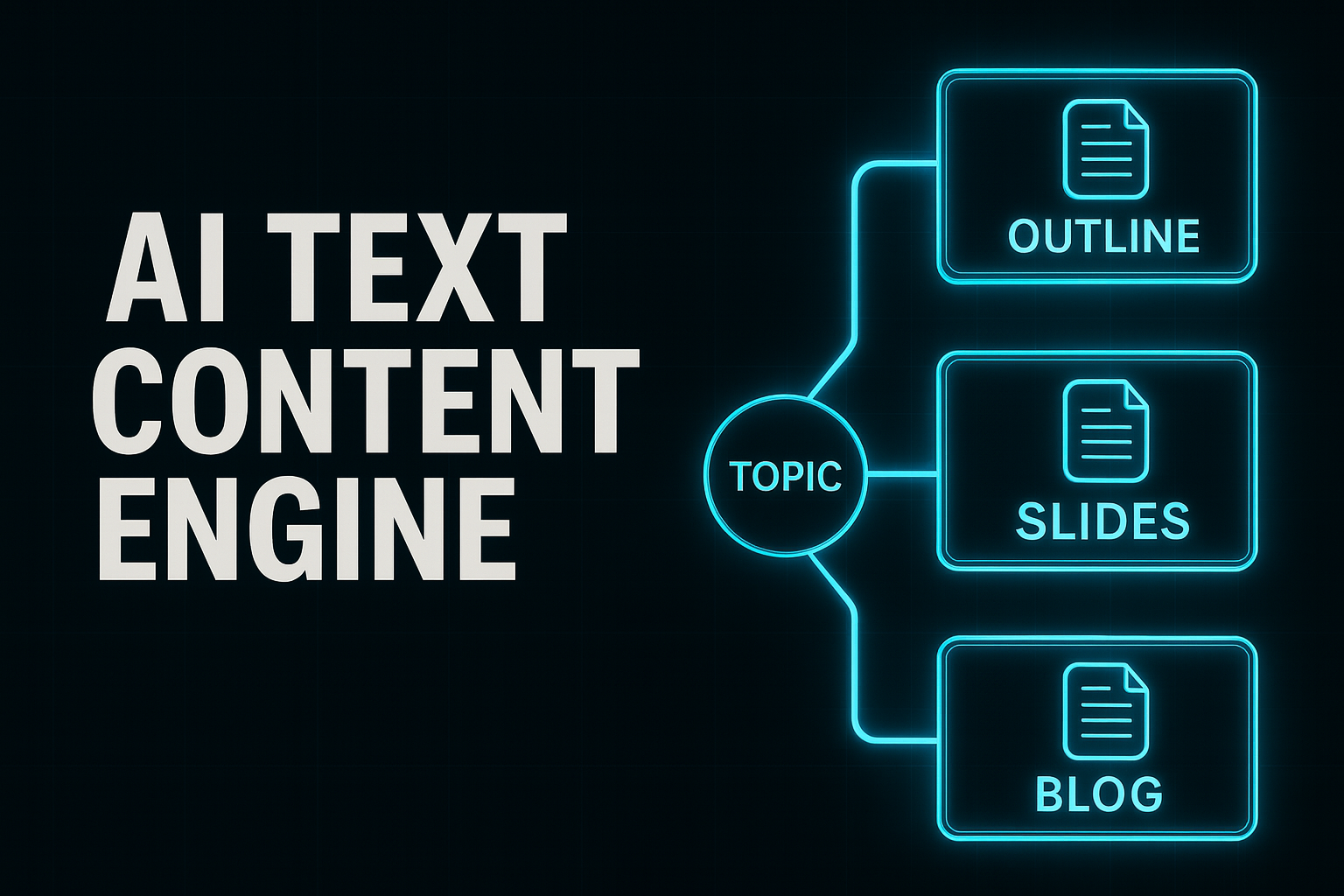
- The Audio Cheat Code Tool: How to Turn Every Voice Memo Into Professional Written Content (Without Typing a Word)34:09
- Unlimited Content on Autopilot: The AI System That Generates Blogs, Scripts & Social Posts Faster Than You Can Speak33:26
How to Build a 24/7 Video Creation System That Turns Your Existing Content Into Scroll-Stopping Ads, Reels & Promos—All With AI
- 1. The ONE Screen Recorder That Captures Everything for Easy AI Repurposing06:16
- 2. How to Get Tons of Content from One Broadcast (While Your Competition Starts from Scratch)07:55
- 3. The AI Video Generators That Build Scrolling-Stopping Hooks & Sales Videos from a Simple Prompt24:43
- 4. The 'Magic Button' for B-Roll: Transform Any Static Image To a Cinematic Movie in Seconds24:42
- 5. Create Your Digital Twin: The Ethical AI Avatar Method That Films Videos for You While You Sleep37:19
- 6. Never Search for B-Roll Again: Generate Unlimited, Custom, Royalty-Free Video Clips with a Single Sentence19:12
- 7. Fire Your Video Editor: The 'One-Click' AI That Automatically Cuts, Captions, and Polishes Your Raw Footage into Pro Reels34:10
- 8. The Video Time Machine: How to Rescue Grainy, Low-Quality Footage and Make It Look 4K with AI22:37
- 9. The Ultimate Content Multiplier: How AI Automatically Spins Your Videos into Slide Decks, Webinars, and Lead Magnets on Autopilot27:32
How to Build a Cinematic Home Studio That Makes You Look Like a Six-Figure Creator—Using Just a Phone, a Light, and AI
People judge your brand in two seconds. If your space looks cheap, your price tag does too. This training fixes that—fast.
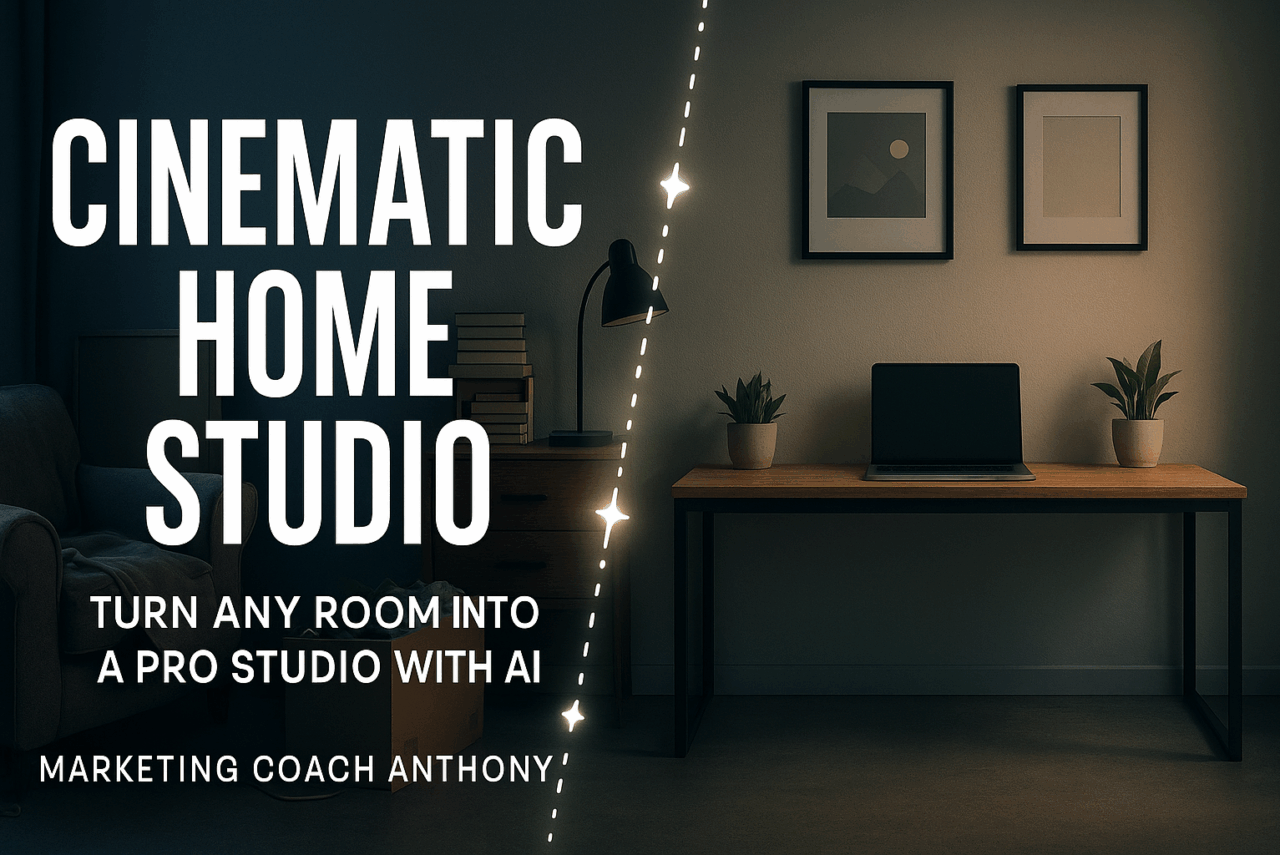
- 1. The 2-Minute Transformation: See How We Turn Ordinary Rooms Into High-Value Video Sets01:41
- 2. The Blank Wall Blueprint: Transform the Most Boring Space Into a Cinematic Masterpiece50:57
- 3. Small Space Cinematic Magic: How to Make Cramped Corners Look Like Expensive Studio Sets26:52
- 4. Texture = Trust: Use Wood & Natural Elements to Make Your Brand Feel Premium & Authentic16:25
- 5. Your Complete Studio System: The Step-by-Step Blueprint to Shooting $10K-Looking Video in Any Room01:24:56